
Ask five mechanical engineers which CAD software to learn and you'll get five confident answers. Each is usually right for that engineer's own industry and wrong for the next person's.
That is why the question deserves a better answer than "learn the most popular one." The right first tool depends on three things: the kind of company you want to work for, the kind of design work you want to do, and where in India you plan to look for a job.
This guide compares SolidWorks, CATIA, Creo and NX on those terms. It covers what each one is, where it is used, how hard it is to learn, who should pick it, and how to check demand in your own city, with Pune as the worked example. It ends with a simple way to decide.
The short answer
If you want a one-line answer before the detail:
- Want the widest range of entry-level design jobs, or aren't sure yet: start with SolidWorks.
- Want automotive body, interiors, plastics or aerospace surfaces: start with CATIA.
- Want manufacturing-driven or heavy-equipment roles with strong parametric modelling: consider Creo.
- Want to work in automotive powertrain, tier 1 suppliers or large multinational programmes that use Siemens' ecosystem: consider NX.
Those are starting points, not rules. The rest of this article explains why, and when to ignore them.
First, what all four have in common
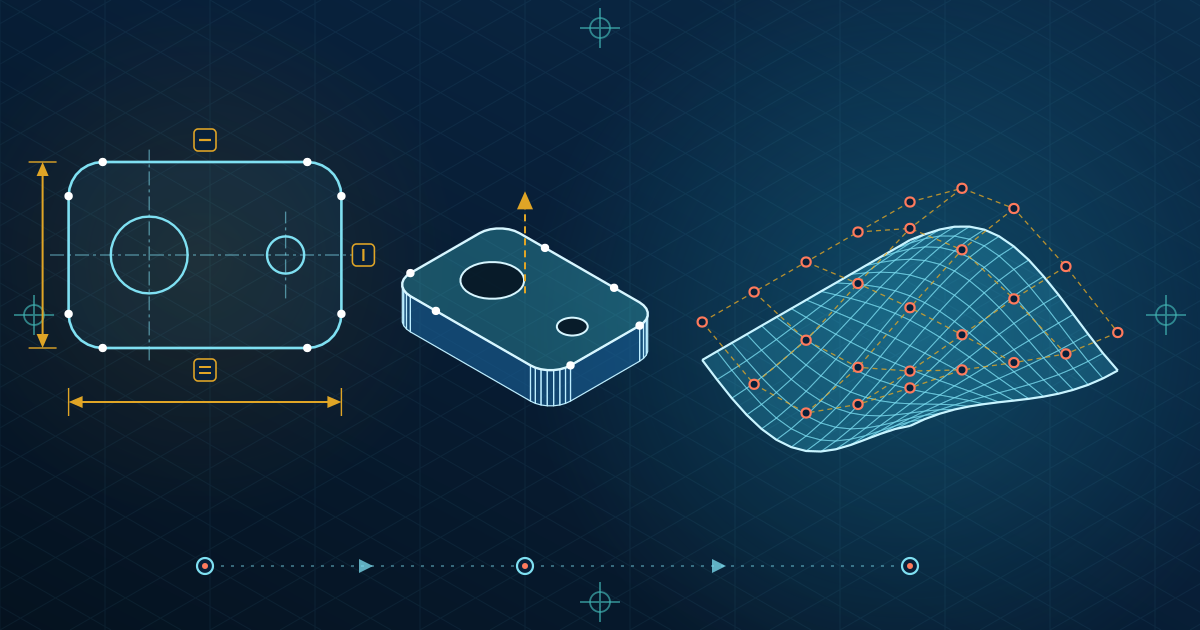
Before the differences, one thing that makes this choice less scary than it looks: all four are parametric solid modelling systems built on the same ideas.
In every one of them you will:
- Draw 2D sketches and constrain them with dimensions and geometric relations
- Turn sketches into 3D features such as extrudes, revolves, sweeps and lofts
- Build assemblies out of parts using mates or constraints
- Create engineering drawings with views, dimensions and tolerances
- Manage design changes through a feature history
If you can model a part, assemble it and draw it properly in one system, you already understand the logic of the others. What changes is the interface, the command names, the way each tool handles large assemblies and surfaces, and the workflow habits that companies build around them.
So switching tools later costs weeks of re-learning, not years. That matters, because it means your first choice is about getting hired and productive sooner, not about locking in your career.
SolidWorks: the broadest entry point
Who makes it: Dassault Systèmes (the same company that makes CATIA).
What it's known for: An approachable interface, a large user community, and everyday mechanical design: machine parts, fixtures, sheet metal, weldments, product design and small-to-mid-size assemblies.
Where it's used: General manufacturing, machine builders, product design firms, SMEs, tooling and fixture design, and many tier 2 and tier 3 suppliers. It also shows up in defence and engineering services work.
Strengths
- Gentle learning curve compared with the other three
- Quick to go from sketch to a working model and drawing
- Wide use across small and mid-sized companies, which means a large number of openings
- Good for building a portfolio fast
Limits
- Less common as the primary tool at large automotive OEMs and aerospace primes
- Surfacing and very large assemblies are generally handled better in CATIA or NX
Who should start here: Students who are new to CAD, who want the largest pool of entry-level roles, who may work in machine design or product design, or who haven't decided on an industry.
You can see what a structured course covers on the SolidWorks course page.
CATIA: the automotive and aerospace specialist
Who makes it: Dassault Systèmes. You will see it called CATIA V5 and, in its newer form, CATIA on the 3DEXPERIENCE platform. Many Indian job listings and training programmes still ask for V5.
What it's known for: Complex surfacing, large assemblies and product development where body shape, packaging and integration matter.
Where it's used: Automotive (body, interiors, plastics, closures) and aerospace (structures and surfaces) are the typical homes. Airbus is a well-known example on the aerospace side.
Strengths
- Strong surface modelling for styling-driven and shape-critical parts
- Handles large, complex assemblies
- Closely linked with automotive body-in-white (BIW) and plastic component design, which are specialisations in their own right
Limits
- Steeper learning curve than SolidWorks
- Less common in small job shops and general machine design
- Companies using it often expect domain knowledge too: BIW, trim, plastics, sheet metal
Who should start here: Students with a clear target of automotive design, plastics or aerospace, who are willing to invest in a harder tool for a more specialised role.
A good CATIA course is built around those domains, not only commands. See the CATIA V5 course for how that looks in practice.
Creo: parametric strength for manufacturing-heavy work
Who makes it: PTC. The product is Creo Parametric, the successor to Pro/ENGINEER.
What it's known for: Strong, stable parametric modelling, good control over feature relationships and design intent, and use in manufacturing-focused environments.
Where it's used: Heavy equipment and industrial machinery, automotive component suppliers, consumer products and medical devices, depending on the company's history and supplier base.
Strengths
- Robust parametric behaviour: models tend to hold together when they change
- Good for companies with long-running product lines built on it
- Respected for large assemblies and manufacturing-oriented design
Limits
- Fewer Pune job listings than SolidWorks or CATIA in most searches, depending on the segment
- The interface and workflow feel different from the others, and take some getting used to
Who should start here: Students who already know the target company uses Creo, who want a strong parametric foundation, or who are aiming at heavy engineering and manufacturing-driven roles. Check actual job listings first, because Creo demand is more company-specific than SolidWorks demand.
NX: Siemens' integrated design and manufacturing tool
Who makes it: Siemens Digital Industries Software. NX is usually deployed together with Teamcenter for product lifecycle management.
What it's known for: Advanced modelling, integrated CAM (machining) and CAE (simulation), and tight connection to a company's PLM environment.
Where it's used: Automotive (including powertrain and tier 1 suppliers), aerospace and defence, heavy industry and precision machining. Large multinationals running Siemens' ecosystem often standardise on it.
Strengths
- Handles complex surface and solid work, with design-to-manufacturing integration
- Good for engineers who will touch both design and machining or simulation
- Used in global programmes where the tool choice is set by the customer
Limits
- Complex setup and licensing in a company environment, so it's rarely learned at home
- Fewer entry-level openings than SolidWorks, since it is concentrated in larger organisations
Who should start here: Students aiming at tier 1 automotive suppliers, global engineering centres or roles linked to manufacturing and CAM. NX is often a second tool after you have solid modelling fundamentals.
The CAD courses page lists the Creo and NX programmes alongside the others.
Side-by-side comparison
| SolidWorks | CATIA | Creo | NX | |
|---|---|---|---|---|
| Vendor | Dassault Systèmes | Dassault Systèmes | PTC | Siemens |
| Typical industries | General manufacturing, machinery, product design, SMEs | Automotive body and interiors, plastics, aerospace | Heavy equipment, industrial machinery, component suppliers | Automotive, aerospace and defence, precision machining |
| Strength | Ease of use, fast modelling, wide adoption | Surfaces, large complex assemblies | Parametric stability, manufacturing focus | Integrated CAD/CAM/CAE, PLM ecosystem |
| Learning curve | Gentle | Steeper | Moderate | Steeper |
| Entry-level openings | Broad | Focused (automotive and aerospace) | Company-specific | Focused (larger firms) |
| Good first tool if you... | Are unsure or want the widest reach | Target automotive or aerospace design | Know your target firm uses it | Target tier 1 or global programmes |
Which software matches which industry
| Industry or role | Common tools | Notes |
|---|---|---|
| Automotive OEM design | CATIA, NX | Depends on the OEM and its global parent |
| Automotive tier 1 suppliers | NX, CATIA | Often follow the OEM's choice |
| Automotive tier 2 and tier 3 | SolidWorks, CATIA, Creo | Mix, driven by the customer |
| Plastic component design | CATIA, NX | Domain knowledge matters as much as the tool |
| Body-in-white (BIW) | CATIA, NX | Sheet metal, joining and stack-up knowledge expected |
| Aerospace and defence | CATIA, NX, sometimes Creo and SolidWorks | Varies by programme and customer |
| Machine and special-purpose machine design | SolidWorks, Creo | Fixtures, tooling and automation |
| Heavy equipment | Creo, NX, SolidWorks | Depends on the manufacturer |
| Consumer and product design | SolidWorks, Creo | Fast iteration matters |
Treat this table as a pattern, not a promise. A company's tool choice is often set by its parent company, its biggest customer or a decision made fifteen years ago.
The Pune lens: how to check demand yourself
Pune's engineering job market is dominated by the automotive belt (Pimpri-Chinchwad, Chakan, Talegaon, Ranjangaon), large engineering services and design centres, and a wide supplier base of machine builders and component makers. That mix is why the "right" CAD tool can differ from one student to the next even in the same city.
Don't rely on a blog's opinion, including this one. Check the market in about fifteen minutes:
- Open a job portal and search "design engineer" with Pune as the location.
- Run the search again with each tool name: "CATIA", "SolidWorks", "Creo", "NX" or "Unigraphics".
- Note how many results appear for each, and open 15 to 20 listings per tool.
- Look at what else they ask for: BIW, plastics, GD&T, sheet metal, CAE, a particular domain.
- Repeat for any specific company you want to join, and read their listings.
You will quickly see which tool matches the work you actually want. Recheck every few months, because hiring patterns move.
How to decide: a simple framework
Step 1: Name the kind of work you want. Don't say "design engineer" and stop there. Say machine design, automotive plastics, BIW, aerospace structures, tooling, or product design.
Step 2: Find the tool that work uses. Use the job search above, not an article.
Step 3: Pick the one that appears most in your target role, and also appears at the entry level. Some tools are common mainly at senior levels.
Step 4: Learn modelling fundamentals properly in that tool. Then add domain skills.
Step 5: Add a second tool later, once you have worked on real models.
If you are in one of these situations
| If you are... | A sensible first tool | Why |
|---|---|---|
| A second- or third-year student exploring | SolidWorks | Quick to learn and easy to practise at home |
| A final-year student aiming at automotive design | CATIA | Matches BIW, interiors and plastics roles |
| A fresher with no clear industry yet | SolidWorks | Widest entry-level pool, and you can add CATIA or NX later |
| Targeting a specific company known to use NX or Creo | That tool | Match the employer directly |
| A working engineer moving into design | The tool your target team uses | Ask the hiring team |
| Interested in CAM or simulation as well as design | NX (after fundamentals) | Integrated manufacturing and simulation |
Does the order really matter?
A little, but less than people think.
Many students start with SolidWorks because it is quicker to learn, and then add CATIA or NX for automotive or aerospace roles. That path works well because the fundamentals carry over. Others go straight to CATIA because they know their target is automotive, which is also reasonable if they commit to the harder learning curve.
What matters more than the order:
- Depth beats breadth. One tool learned properly, with finished projects, beats four tools learned at surface level.
- Domain knowledge multiplies the value. A CATIA user who understands BIW or plastics design is more employable than someone who only knows the commands.
- A portfolio proves it. Recruiters respond to finished work.
Common mistakes students make
- Learning all four at once. You end up shallow in each and confused by the differences. Learn one properly first.
- Choosing by software popularity, not by job. A tool being widely used says little about your target role.
- Collecting certificates instead of building models. A certificate shows you attended. A well-built assembly with drawings shows you can work.
- Skipping engineering drawings and GD&T. Companies need parts that can be manufactured and inspected. Modelling skill without drawing skill is half a skill.
- Ignoring manufacturing basics. Knowing how a part is cast, moulded, stamped or machined changes how you design it.
- Never opening a job listing. Many students decide on a tool without reading one real listing.
- Copying tutorials and calling it a portfolio. Design your own parts and assemblies, with design intent you can explain.
- Treating the software as the skill. The tool is how you express design ability. The ability itself is what gets you hired.
What to build to prove you've learned it
Whichever tool you pick, aim for three or four portfolio pieces:
- A multi-part assembly with proper mates or constraints and a bill of materials, such as a gearbox, vice or clamp
- A sheet metal or plastic part with sensible thickness, ribs, draft or bends, and a note on how it would be made
- A part with a surfaced shape, if you are using CATIA or NX
- A complete drawing set with views, dimensions, tolerances and a title block
- A short write-up for each: what it does, why you made the design choices, and what you would change
Keep the presentation clean. A portfolio full of gradients and renders impresses less than correct, well-annotated models.
Questions students ask
Which CAD software is easiest to learn?
SolidWorks is generally considered the most approachable of the four. CATIA and NX take longer, mainly because of their depth and the way they handle surfaces and large assemblies.
Is CATIA better than SolidWorks?
Neither is better in general. They suit different jobs. CATIA is more closely tied to automotive and aerospace design, and SolidWorks to general mechanical and product design. They are even made by the same company.
Which CAD software has the most jobs in Pune?
It depends on the role. SolidWorks usually shows the broadest pool of general design openings, and CATIA and NX show up strongly in automotive and aerospace roles. Run the job search described above, because the numbers change.
Can I learn CATIA without knowing SolidWorks?
Yes. Knowing the basics of any parametric CAD tool helps, but it isn't required. If you're comfortable with engineering drawings and basic modelling concepts, you can begin with CATIA.
Is Creo still worth learning?
Yes, where employers use it. Its demand is more company-specific, so check target employers before you invest.
Is NX a good first CAD tool?
It can be, if you are targeting an employer that uses it. Most students find NX easier to approach after they have learnt solid modelling fundamentals in another tool.
Do I need to learn all four?
No. Most engineers work in one or two tools. Learn one well, add another when a job needs it.
How long does it take to learn a CAD tool?
Basic modelling can be learned in a matter of weeks, and job-ready skill takes longer and depends on practice, your background and the tool. A structured course with project work usually speeds this up.
Does my branch (mechanical vs production vs automobile) change the answer?
Not much. The deciding factors are the work you want and the employers you are targeting.
Where to go from here
The most useful next step is small: run the fifteen-minute job search for your target role in Pune, pick the tool it points to, and start one real project in it this week.